FAQ
A detailed guide to using the site sections

All information on the site is tightly structured around the M3 Model from Mystery Method. That makes it possible to organize everything as clearly and efficiently as possible. Here is what you need to know:
General
On any page, you will see the logo, the search bar, and the menu. The logo always takes you back to the homepage. The search bar works really well: it searches titles, phrases, phases, subphases, and tags. You can easily find the gambit, article, or author you need with just a couple of words.
In the mobile version of the site, the large menu is replaced by an icon. Tap it, and right under the section list you will see all available tags displayed as a heat map. If publications with a given tag make up less than 10%, the tag is blue. Less than 50% means green. Less than 100% means yellow. The most frequently used tag is red. All tags are clickable, so you can filter materials by the term you need.
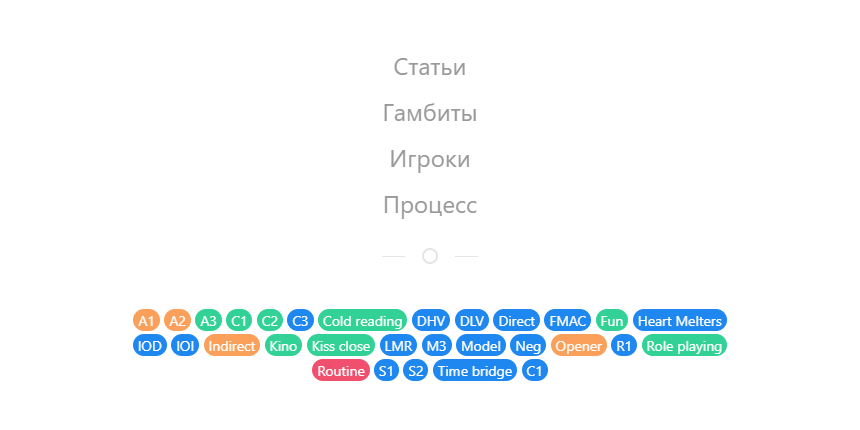
In the desktop version, the same tag cloud is located in the right-hand column of the articles section. This area serves as additional navigation. The top block shows the section categories. The middle block shows the 5 most viewed materials in that section. The bottom block displays the tag cloud in the articles section, and in the gambits section it shows the 5 most recently added gambits.
An English version of the site also exists, but it is still very rough, so the section is hidden for now.
Articles
The articles section does not have a rigid structure beyond categories:
- Information - general-interest publications
- Articles - articles by different authors
- Reports - field reports
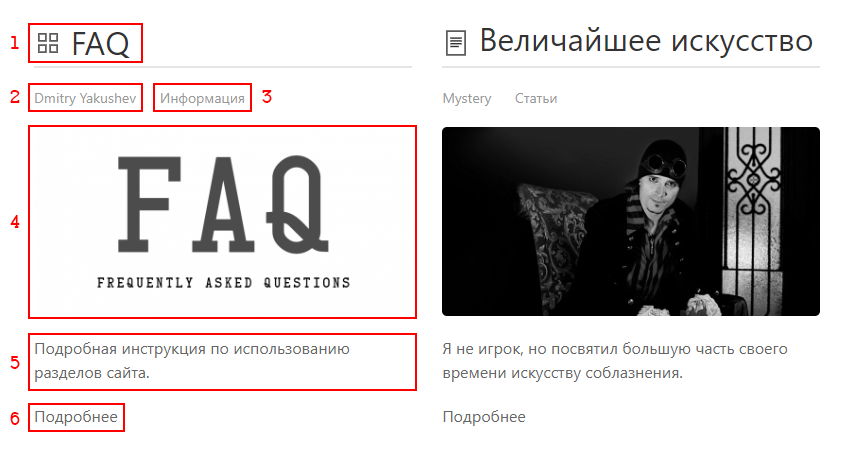 Articles main page
- Clickable article title with an icon
- - article available only to Premium users
- - text article
- - the article contains substantial images
- - the article contains video
- Author of the article
- Category of the article
- Clickable article preview image (this does not refer to substantial images inside the article)
- Short description
- Link to continue reading
Gambits
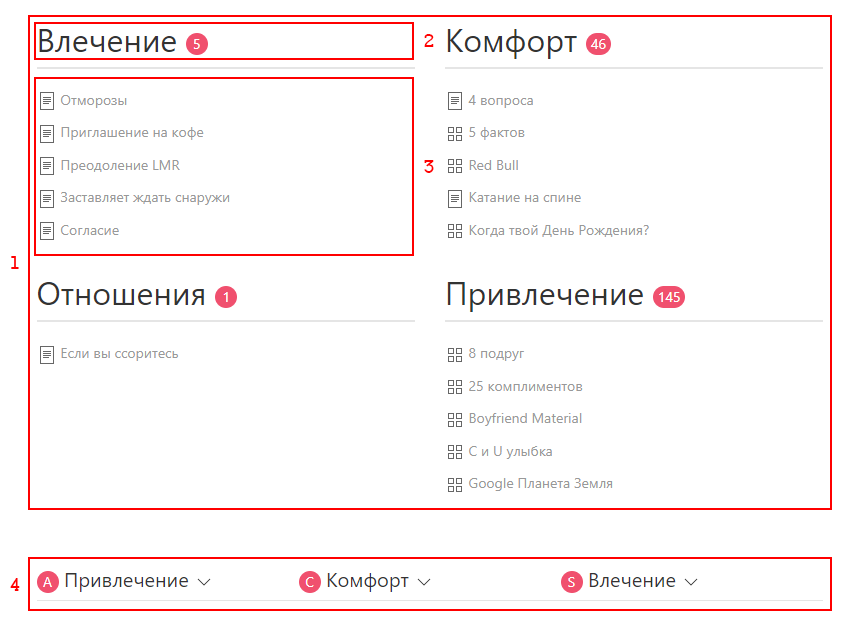 Gambits main page
- Category list. Every gambit is strictly tied to the M3 Model and belongs to one of the core categories: Attract & Привлечение, Comfort & Комфорт, Seduce & Влечение, or Relationship & Отношения. The relationship phase goes beyond social dynamics in the context of game.
Subcategories A1, A2, A3, C1, C2, C3, S1, S2, and S3 are presented as tags, just like other terms in game. - Category. The number next to it shows how many gambits are in that category. Click the heading to open the gambit list.
- A list of five gambits in that category, sorted alphabetically.
- - gambit available only to Premium users
- - text gambit
- - text gambit with an image
- - includes a video demonstration of the gambit
- An advanced tag cloud in the form of a full M3 Model. Each phase can be opened separately, making it easy to see what happens when phases are skipped and how the consent level CT progresses over time. From here you can also jump conveniently to the list of gambits for a specific tag. All links are clickable and lead to the corresponding gambits. The blue bar at the bottom shows the approximate CT level by the end of the phase.
For a full understanding, you need knowledge of the terms. In the desktop version, definitions are highlighted on hover, and navigation through the structure is clearer for beginners.
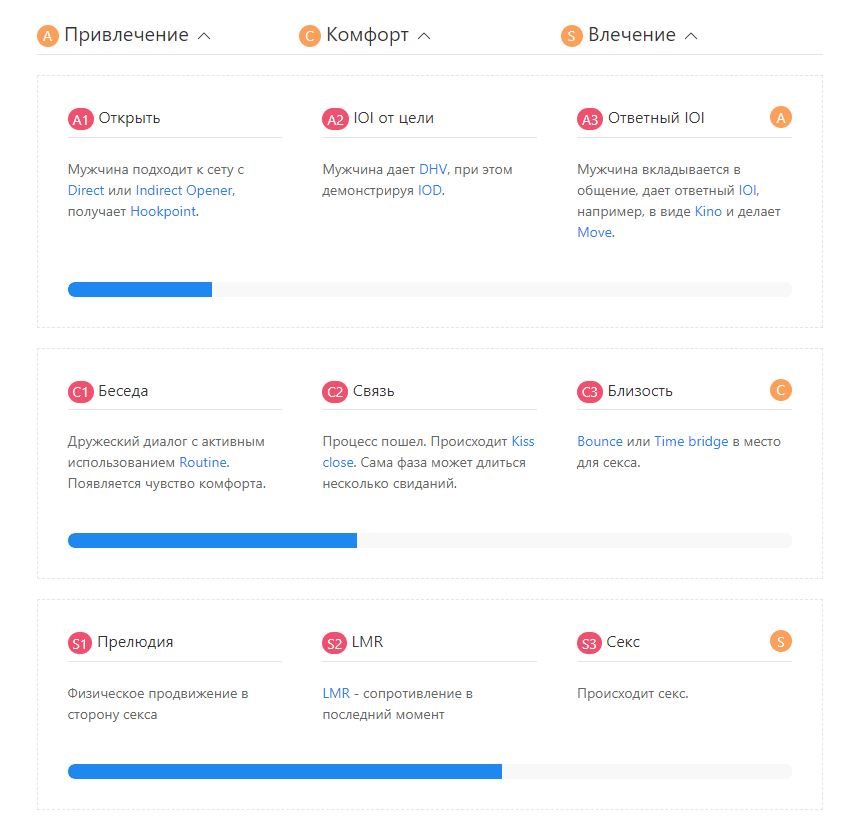 For example, the moment when the set does not want to let you go, Hookpoint, after the opening Opener, is reached on average in about 3 minutes, while the CT consent level of a nominal 20%, where the target can be isolated, is reached in roughly 20 minutes. This is an excellent visualization of how to build your own cheatsheet and a strong linear game plan tied to time and consent level.
The basic structure of the M3 Model looks like this:
- A & Attract - attraction
- C & Comfort - comfort
- S & Seduce - seduction
Let us look at the contents of a gambit using Drawing a Portrait by Mystery as an example.
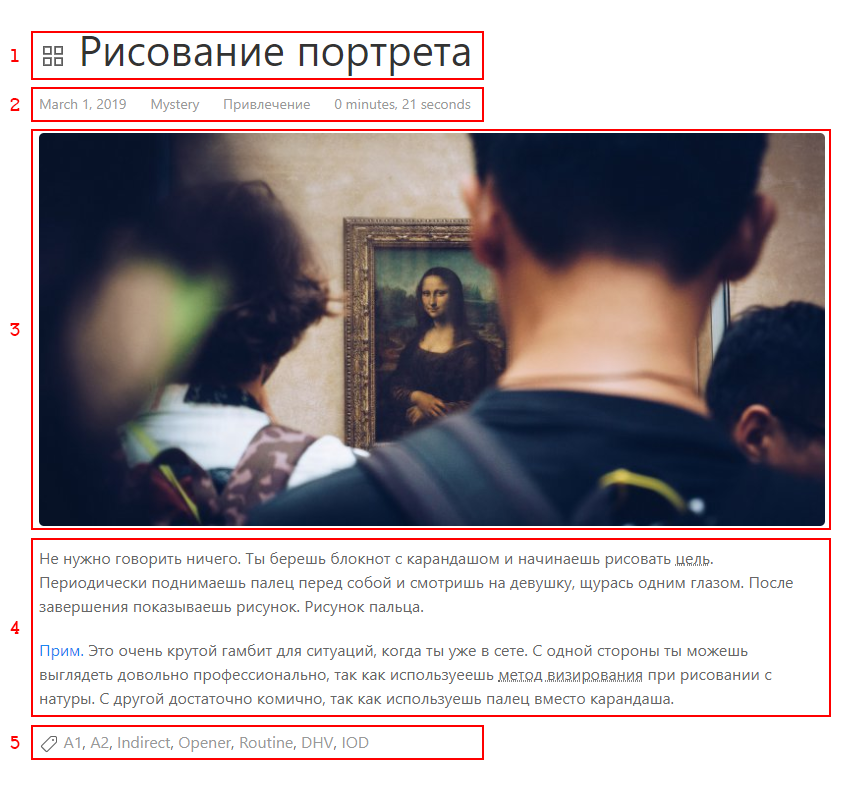
- Gambit title with an icon
- - text gambit
- - text gambit with an image
- - includes a video demonstration of the gambit
- Basic information about the gambit
- Approximate date when the gambit appeared. Hover over this date to see the publication date on the site.
- Author of the gambit
- Category
- Approximate time it takes to run the gambit in its pure form. Combined with the measured average time spent talking on the gambit's topic, this can be used to build a game plan.
In the articles section, this time shows approximately how long the material will take to read, based on average reading speed.
- Image for better memorization
- Full description of the gambit
- Tag list
Players
A ranking with a list of authors. The rating takes into account time in game, skill level, and understanding of social dynamics, as well as the overall contribution to development, and the quantity and seriousness of publications.
Hover over an author's card to see their system rating. Click the card to open the author's page with a short description and a list of publications on the site.